
5 FocuSee alternatives for recording and editing on Mac
Compare five FocuSee alternatives by the work after recording: editable zoom, layered timelines, commercial licensing, subscriptions and sharing.
In this article
The most useful FocuSee alternative depends on what you want to change after the automatic edit. You might want more control over a layered timeline, a different license, a simpler sharing workflow or a free recorder. Those are different requirements, so a single ranking can hide the choice that actually matters.
FocuSee already offers automatic zoom, cursor treatments and editing tools. Its current feature page also describes silence removal and AI-assisted features. Switching merely to get an editor or automatic zoom is therefore an incomplete reason. Start with the correction you cannot comfortably make in your current workflow.
This guide compares five alternatives using official product information checked on 16 November 2026. It is published by ZXN Studio. The evaluation steps below are suggestions for your own sample project, not claims that we measured every application side by side.
Choose by the work after recording
| Your main requirement | Start with | Check before choosing |
|---|---|---|
| Combine recording with a layered creative edit | ZXN Studio | Native recording requires macOS 26 or later |
| Produce a focused, polished Mac screencast | Screen Studio | Subscription and paid export requirements |
| Use a free recorder for personal projects | Cap | Commercial use has separate licensing |
| Assemble presenter-led demonstrations and share them | Tella | Trial versus ongoing subscription |
| Capture scenes without a software license fee | OBS Studio | Plan a separate post-production workflow |
The shortlist covers different jobs. Compare the finished result and the effort needed to revise it, rather than counting how many products advertise zoom, backgrounds or camera recording.
1. ZXN Studio for control over the finished edit
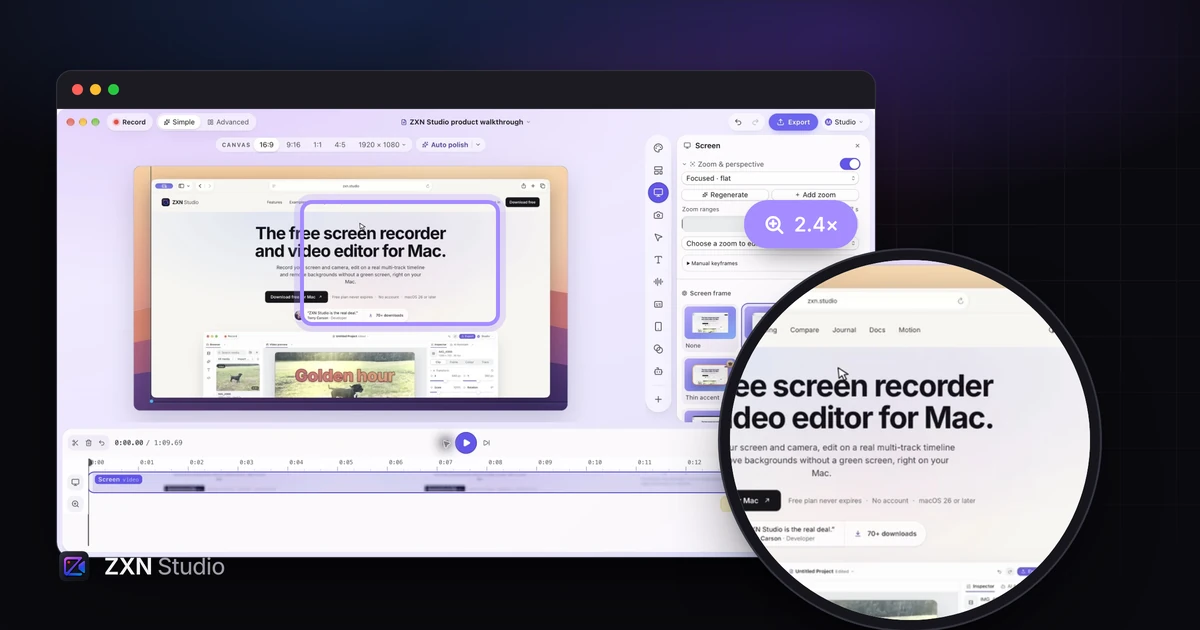
ZXN Studio is the option to evaluate when the recording becomes part of a larger composition. Its multi-track timeline supports trims, splits, transforms, keyframes, titles and effects. The screen and camera remain separately editable, which helps when a presenter covers a control or a second clip needs to appear beside the demonstration. Read how layers and keyframes work in ZXN Studio, then test the timing on your own sample.
New ZXN screen recordings with complete click metadata can generate editable Auto zoom ranges. You can change their timing, focus and strength, or add manual ranges to imported footage. The point is to keep the suggested movement useful after the structure of the explanation changes. See the automatic zoom workflow.
Free supports exports up to 1080p at 30 fps. Studio is $15.99 USD monthly or $159 USD lifetime. Monthly includes 300 GB of managed cloud storage; lifetime does not include that managed allowance. Check plan details, and confirm your Mac meets the recorder's macOS 26 requirement before building a project around it.
2. Screen Studio for a focused Mac recording workflow
Screen Studio is worth considering if your preferred workflow centres on a screen recording with automatic presentation polish. Its product is organised around recording, zoom, cursor treatment and the appearance of the captured screen.
The official site lists $29 monthly or $9 per month billed yearly, which is $108 for the year. Treat the annual equivalent as an annual commitment, not a monthly cancellation price. Export requires a paid plan.
Evaluate the moments where your current automatic edit needs correction. Can you keep the button and its result visible together? Can you revise the camera position without hiding another step? If those operations are comfortable, a focused recorder may be enough without a broader editing environment.
3. Cap for personal recording and a different licensing model
Cap's pricing page distinguishes free personal use from paid commercial use. The free plan includes Studio Mode and local exports, while cloud sharing has separate limits. A free plan can therefore be useful without implying that every business use or hosting requirement is free.
Cap is a sensible candidate when recording and delivering a clear clip matter more than building a heavily composed launch video. Evaluate your required local output and your actual sharing pattern separately.
If you record on behalf of a company or client, resolve the commercial license first. Then test one complete recording, including microphone selection, a readable export and the way the recipient opens it. That sequence prevents a technically successful sample from becoming the wrong licensing choice.
4. Tella for presenter-led demonstrations
Tella offers a subscription workflow for recording and assembling videos. Its official pricing lists Pro at $13 per user per month billed yearly and Premium at $19 billed yearly, with a seven-day trial. A trial is time to evaluate the workflow, not a permanent free tier.
Consider Tella when you want to build a demonstration from smaller speaking sections and organise the presenter alongside the screen. Use a sample with an introduction, an interface action and a recap rather than judging only one uninterrupted take.
Check the complete delivery experience as well as the editor. If sharing is the real reason for switching, see our Tella alternatives guide for a wider comparison of editing and hosted video workflows.
5. OBS Studio for capture without a license fee
OBS Studio is free and open source, with recording and live production across Mac, Windows and Linux. It suits a workflow where you want explicit control over capture sources and scenes and already know how you will edit the resulting file.
It is not a direct replacement for every automatic post-production feature in FocuSee. Budget for arranging your sources and for any editing application used afterward. A zero license price does not tell you how long a tutorial takes to finish.
For a simple demonstration, prepare one screen source and one audio input, record a short sample and inspect the file. Add further sources only when the explanation requires them. This keeps the evaluation focused on capture quality and reliability for your setup.
Compare license terms with the same questions
| Product | Pricing model to compare | Separate question |
|---|---|---|
| FocuSee | Subscription and one-time options on its current pricing page | Which version, AI credits and cloud allowance are included? |
| ZXN Studio | Free, monthly or lifetime editor | Managed monthly storage versus your own storage |
| Screen Studio | Monthly or annual subscription | Annual total and paid export |
| Cap | Free personal use and paid commercial plans | Local recording versus cloud limits |
| Tella | Subscription after a trial | Billing period, seats and delivery requirements |
| OBS Studio | Free and open source | Time and tools for the final edit |
FocuSee's official pricing separates plan features and allowances. Do not assume a one-time purchase means unlimited future AI services or every future major version. Read those terms alongside the feature you actually need.
Test one revision before switching
Record a short task with a menu, a drag and a visible result. Then deliberately change the edit: remove a sentence, move the presenter and widen one zoom so the result stays visible. Export the revised version and watch it at the intended player size.
That exercise reveals whether the alternative makes your recurring correction easier. Choose the application that fits the whole path from recording to reviewed output. If that path includes a layered Mac edit, download ZXN Studio and try it with the same sample.
More on screen recording
Screen Studio alternatives for Mac: free and one-time optionsCompare five alternatives for Mac demos, with a decision table, free-plan limits, licensing differences and a practical recording checklist.
 10 Tella alternatives for demos, editing and video sharingChoose a Tella alternative by the job: Mac demos, transcript editing, training or team messages. Compare ten options, free plans and practical trade-offs.
Automatic zoom for screen recordings: guide attention to the actionTurn recorded clicks into editable zoom ranges in ZXN Studio, then refine timing and framing so viewers can follow the important action.