
10 Tella alternatives for product demos, tutorials and sharing
Compare 10 Tella alternatives with current pricing, practical examples and clear tradeoffs for polished demos, reusable tutorials and hosted video sharing.
In this article
Tella puts a recorder, a presenter's layout, an editor and a place to watch the result into one service. Replacing it means deciding which of those jobs you want to improve. A founder making a launch demo may want more control over the picture. A support team may care more about getting a working link into a ticket. A course creator may need to revise the same lesson six months later.
These 10 Tella alternatives cover those different needs. For composed Mac screencasts, start with ZXN Studio or Screen Studio. For a similar emphasis on automatic visual presentation on Windows, consider FocuSee. For everyday video messages, compare Loom, Cap and Zight. Descript, Camtasia, ScreenPal and OBS each make sense for more specific production workflows.
ZXN Studio publishes this guide and appears in the comparison. The recommendations are editorial judgments based on official product and plan information checked on 5 October 2026, rather than hands-on performance scores. The examples below describe useful ways to evaluate the tools; they are not invented customer results.
Quick picks for different reasons to leave Tella
- More freedom to compose a Mac video: ZXN Studio, especially when you want separate screen and camera clips, background removal and a fuller timeline.
- Automatic polish for a focused Mac demonstration: Screen Studio, with its emphasis on cursor movement, framing and zooms.
- Styled software demos on Windows: FocuSee, which also has a Mac version.
- Local recording plus a choice of cloud workflows: Cap, after checking personal versus commercial licensing.
- A shared library for frequent team updates: Loom, particularly when colleagues already work in its surrounding tools.
- A long explanation that needs substantial rewriting: Descript, where the transcript is an editing surface.
- A maintained course or structured training programme: Camtasia, with ScreenPal worth considering for a smaller budget.
- Scenes and audio controlled during recording: OBS Studio.
- Support conversations needing screenshots and recordings back from customers: Zight.
What exactly are you replacing?
Tella already combines substantial editing with hosting. Its current plan comparison includes timeline and transcript editing, layout controls, zoom tools and video sharing. Pro is listed at $13 per user per month with annual billing; Premium is $19 on the same basis, adding features such as custom domains, branding removal and 60 fps export. A competing tool needs to solve a real problem in your workflow, not merely advertise an overlapping feature.
A link someone can watch
For an internal explanation, the viewing page is part of the product. Can the recipient open it? Can they find the relevant moment, leave feedback and return to it later? A recorder that exports excellent files may still leave you choosing and maintaining a separate destination.
Think about a designer explaining why a checkout screen changed. The explanation may be obsolete after the next review. A clear recording, an accessible link and a discussion in the right place can matter more than custom animation.
A video you will publish and reuse
A product demo has a longer life. The same recording might appear on a website, in an onboarding sequence and in a launch post. You may need different crops, a title added later, or a presenter moved away from a new interface element.
Here, the working project matters alongside the finished file. Separate camera material, adjustable emphasis and predictable export settings can save another recording session. A native editor is worth evaluating if this is where Tella feels restrictive.
A lesson someone else must maintain
Training adds another requirement: repeatable revisions. A process can change while the introduction and explanation remain useful. Judge how easily you can replace the affected demonstration and preserve everything around it. Also ask who will reopen the project when its original creator is unavailable.
These needs overlap. You can use a production editor for durable videos and a quick sharing tool for daily messages. Replacing Tella does not require forcing every recording into one application.
Tella alternatives compared: pricing and practical tradeoffs
Prices below are in US dollars. Monthly equivalents marked annual require an annual payment; they are not month-to-month offers. The paid reference plan is chosen to show a relevant working option, not necessarily the vendor's cheapest product.
| Alternative | Free option and paid reference price | Strongest reason to consider it | Cost or workflow detail to check |
|---|---|---|---|
| ZXN Studio | Free editor; Monthly $15.99/month or Lifetime $159 once | Compose and edit Mac demos locally, then export or share | Monthly includes 100 GB managed storage; Lifetime sharing uses your own R2 bucket |
| Screen Studio | Free to try; Monthly $29/month; Yearly $9/month, billed yearly | Automatic presentation of Mac software recordings | Annual commitment is $108; Mac only |
| FocuSee | Trial; Standard $19.99/month or $49.99/year | Automatic zooms and styled demos on Windows and Mac | Advertised offer prices; Standard covers one computer and has no included AI credits |
| Cap | Free personal use; Desktop $29/year or $58 once; Pro $12/user/month | Choose local editing or hosted team sharing | Pro is also $8.16/user/month billed annually; commercial use needs a paid license |
| Loom | Starter free; Business $18/user/month on monthly billing | Frequent updates within a shared video workspace | Free screen recordings have a five-minute limit; AI editing is a different tier |
| Descript | Free plan; Hobbyist $24/person/month or $16/month billed annually | Revise spoken explanations through their transcript | Hobbyist exports at 1080p; Creator is the relevant 4K tier |
| Camtasia | Essentials $179.88/person/year, billed yearly | Build structured, editable instructional videos | Starter's Camtasia Editor exports are watermarked; compare Essentials for finished lessons |
| ScreenPal | Free plan; Deluxe $4/month, paid annually | Affordable recording, lesson editing and hosting | $48 annual payment for one user; advanced interaction and AI depend on tier |
| OBS Studio | Free and open source | Control sources, scenes and audio while recording | Editing and a hosted viewing library are separate choices |
| Zight | Share free; Create $9.95/user/month, billed annually | Support videos, screenshots and requests for customer recordings | Team branding and broader controls sit in higher plans |
Taxes, region, promotions and additional seats can change the total. FocuSee displays discounted offers, and TechSmith localizes its store, so confirm the renewal and checkout price. When comparing subscriptions with a one-time license, include hosting and any AI usage you actually need. A permanent editor license is not a promise of unlimited cloud services.
1. ZXN Studio: a flexible Mac editor with optional link sharing
ZXN Studio fits creators who want to direct the whole frame: where the presenter sits, how the screen moves and when another visual appears. Screen and camera recordings remain separately editable, and recording, editing and background removal run locally unless you choose an upload or an optional external service.
Consider a walkthrough of a scheduling app. The opening needs a presenter explaining the problem; the middle needs the calendar at a readable size; the ending needs a close view of the completed booking. Separate material gives you room to change those priorities after recording, rather than permanently covering the same corner with a camera image.
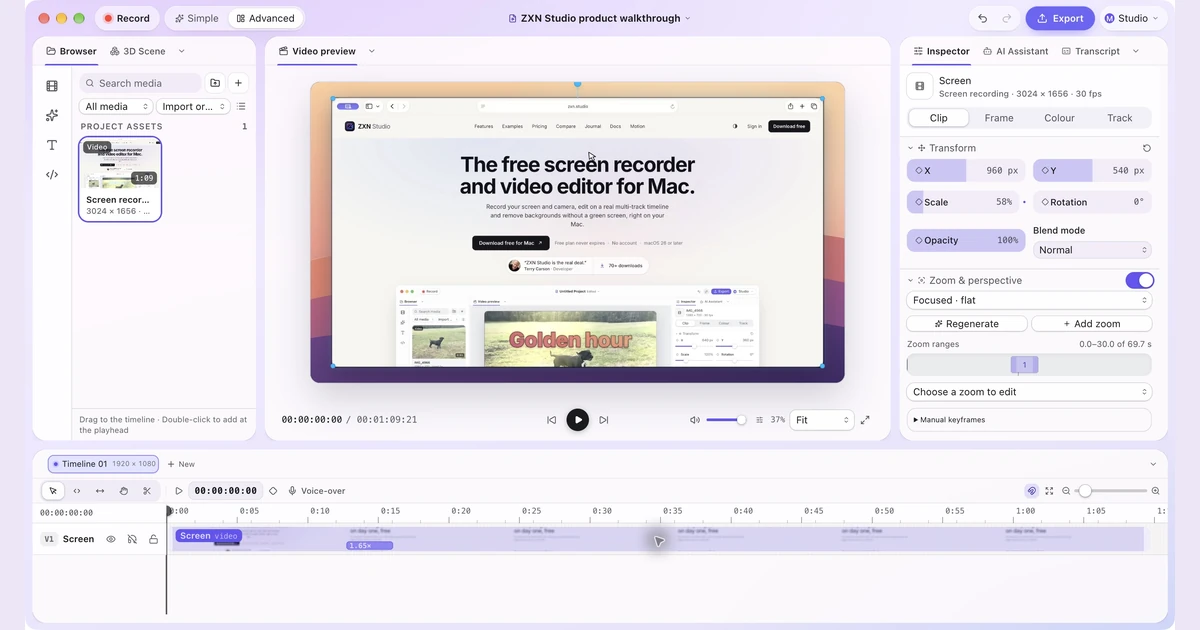
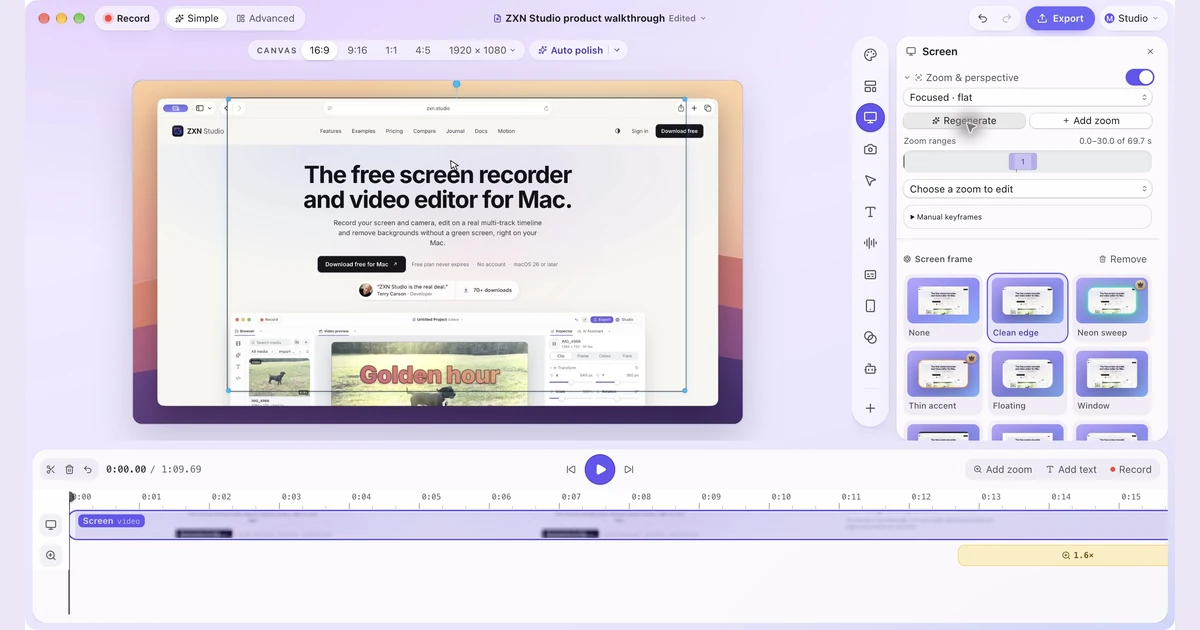
Simple and Advanced are two workspaces for the same project. Start with the larger preview and focused controls, then open the full timeline and inspector when the arrangement needs more attention. Auto zoom can generate editable focus ranges from complete click metadata in a new ZXN recording. Perspective and tilt provide presentation choices; a flat view may be clearer for a dense calendar. The editing guide explains the controls and their compatibility restrictions.
For the presenter, Studio's Pop out treatment can extend a subject beyond a supported camera frame after background removal. It is an optional visual choice, not a reason to sacrifice legibility. Free includes recording and export up to 1080p at 30 fps; Studio adds premium treatments and 4K, 60 fps and ProRes export options.
Sharing and cost: Monthly is $15.99, including hosted links and 100 GB of managed storage. The $159 Lifetime purchase includes the Studio editor and sharing through your own private R2 bucket, whose account and usage costs remain separate. Both paid plans support custom R2 storage. You can publish an exported video and update an existing shared video while retaining its link.
Choose something else when: you need Windows capture or a particular enterprise video administration workflow. The current native Mac recorder requires macOS 26 or later. Evaluate that requirement before comparing visual effects, and try an actual export before buying for a demanding project.
2. Screen Studio: automatic polish for focused Mac demonstrations
Screen Studio is a close alternative when you like Tella's polished presentation but prefer working in a Mac recording application. Its emphasis is on making screen action easier to follow through automatic zooms, cursor treatment, framing and backgrounds. Its plans also include shareable links and exports up to 4K at 60 fps.
Imagine showing a design-system change: select a component, alter its spacing token, then demonstrate the result across several instances. The challenge is visual continuity. The viewer needs to see both the small control and the larger consequence without becoming disoriented.
That makes Screen Studio a useful candidate for short product explainers. Cursor and zoom controls are more relevant to this example than a large collection of stock footage. Still, inspect the moments where the result appears away from the pointer. An automatic move can highlight the action while missing the reason it mattered.
For a trial, include one wide overview that should stay still. Check how easily you preserve that context alongside closer details.
Cost and tradeoff: the current subscription options are $29 monthly or $108 billed yearly, advertised as $9 per month. Its free download lets you try the app, but exporting video files requires an active plan. Screen Studio is Mac only. It deserves a place near the top of a Mac demo shortlist; if your projects involve extensively rearranging multiple kinds of footage, compare that exact edit with a broader timeline workflow before committing.
3. FocuSee: styled recordings for Windows and Mac
FocuSee deserves attention from Windows users considering the automatic framing associated with Mac screen recorders. It provides auto zoom, cursor styling, camera layouts and annotations, with desktop versions for both Windows and Mac. It is a relevant Tella alternative when you mainly want a prepared software recording rather than a shared team library.
Picture a consultant demonstrating a Windows CRM. They filter a long account list, open one record and show the next action. Automatic emphasis could make those small controls easier to follow, while an annotation explains why the selected filter matters.
A filter menu, the active filter indicator and the resulting list may occupy different areas. Review all three, including what remains visible while you speak. Include any transition between applications or monitors in your trial.
Cost and tradeoff: Standard currently advertises $19.99 monthly or $49.99 annually, with one computer, 4K/60 fps export and 5 GB cloud storage. These are displayed offer prices. Standard does not include AI credits, so do not assume that every advertised AI tool is covered by the editor subscription.
The $199.99 Advanced one-time option explicitly covers FocuSee 2.x, with its included AI credits valid for one year. That distinction matters if avoiding recurring costs is your reason to switch. Choose FocuSee for its recording and presentation workflow; evaluate hosting capacity and ongoing AI use separately from its visual feature list.
4. Cap: local production and quick sharing in distinct modes
Cap separates two useful habits. Instant Mode is aimed at quickly delivering a hosted recording. Studio Mode records and edits locally, with a timeline, adjustable screen and camera composition, zooms and file export. This gives a Tella user a clear choice about how much production a particular message deserves.
A freelance software consultant might send a brief progress update during the week, then prepare a careful handover video at the end of the project. Those two recordings should not demand identical effort. Cap is worth testing when your week contains both, especially if you also value its open-source code or self-hosting options.
The important complication is licensing. “Free” is not the whole answer for a business user. Cap's pricing distinguishes free personal use from a commercial Desktop License and the Pro cloud subscription.
Cost and tradeoff: Desktop is $29 per user per year or $58 once. Its listed allowance includes 20 cloud shareable links per month, each up to five minutes. Pro includes commercial desktop rights and broader hosted capabilities at $12 per user monthly, or $8.16 per month billed annually. Avoid buying both by accident when Pro already covers the desktop rights you need.
Try the intended recording mode all the way through delivery. A local file and an instant link have different storage and publishing paths. Self-hosting introduces another operational responsibility; it is useful when you want that control and can maintain it, rather than simply being a shortcut to free managed hosting.
5. Loom: a stronger fit for daily team communication
Loom is the obvious comparison when Tella has become your team's message recorder. Its libraries, comments, transcripts and integrations support a recurring habit: explain something on screen, send the link and continue the discussion. The main attraction is the surrounding communication workflow.
Suppose a developer needs help with an import failure. They show the input file, reproduce the error and point out the unexpected result. The recipient needs enough context to investigate, perhaps alongside a Jira issue. Carefully staging a camera entrance probably contributes less than getting the explanation into a place the team already checks.
Judge recipient effort too: locating the evidence, commenting on the right moment and finding the explanation again next week.
Cost and tradeoff: Starter is free, with up to 25 videos per person and a five-minute screen-recording limit. Business is listed at $18 per user per month on monthly billing; Business + AI is $24. The plan table places transcript editing and AI cleanup in the AI tier, so include that tier if those are the Tella capabilities you want to replace.
Loom is a sensible recommendation for a team that values a video workspace more than a distinct visual style. For a public demo requiring deliberate camera and screen choreography, compare how much creative control you need before making it the standard production tool as well.
6. Descript: reorganize the explanation through its transcript
Descript connects screen, webcam and microphone recording to text-based editing. That is especially helpful when the difficult part of a tutorial is what you said: a repeated explanation, a long detour or an introduction that belongs nearer the end.
Take a narrated spreadsheet lesson. The instructor explains a formula twice, discovers a clearer example halfway through and spends too long describing an obvious step. Reading the transcript can make that structure easier to assess. Descript is worth evaluating when those editorial changes occupy more time than framing the screen.
Tella also offers transcript editing, so the reason to switch is not merely that Descript can delete spoken words. It is whether working in Descript's wider editing environment helps you restructure the particular material you produce.
Screen action still needs a separate review. If you move a spoken explanation, the relevant cell, selection or calculation must remain visible at the right time. Keep a deliberate pause where viewers need time to inspect an example, even if an automatic cleanup tool identifies it as removable silence.
Cost and tradeoff: Hobbyist is $24 per person monthly or $16 per month billed annually, with 10 media hours monthly and watermark-free 1080p export. Creator raises the export ceiling to 4K and is $35 monthly or $24 per month billed annually. Media allowances and AI credits are separate limits to include in your comparison. For a mostly silent interface showcase, a tool centred on visual framing may feel more direct.
7. Camtasia: build training that survives the next revision
Camtasia is worth the extra evaluation effort when the deliverable is a maintained lesson. TechSmith's current plan comparison describes multitrack recording and editing, cursor controls, annotations, captions and instructional delivery options. This is a broader production commitment than sending an occasional video message.
Consider a warehouse onboarding lesson that explains selecting a stock item, printing a label and confirming a dispatch. The introduction may remain accurate for years while the label-printing screen changes. A project arranged in meaningful sections can make that replacement manageable.
Use that revision as your trial task. Record the initial lesson, then deliberately replace the middle procedure. Check what happens to titles, narration, cursor emphasis and the closing explanation. A tool that is pleasant on the first recording can still be awkward for maintenance; this exercise exposes the difference.
A recap, captions and consistently presented supporting material can justify learning a more extensive editor. Judge whether it helps you build the lesson as well as capture the procedure.
Cost and tradeoff: Essentials is listed at $179.88 per person annually in the US store. The cheaper Starter plan includes a watermarked Camtasia Editor, so it is not the equivalent purchase for finished training videos. Individual subscriptions are non-transferable; check the team offering if project ownership and staff changes matter. Screencast hosting is part of the wider product family, with allowances that vary by plan. Confirm the actual package instead of treating every Camtasia service as automatically unlimited.
8. ScreenPal: practical lessons with a lower annual entry cost
ScreenPal combines recording, editing and hosting at a lower paid entry price than many presentation tools. It is worth considering when a clear, accessible explanation matters more than a distinctive launch-video aesthetic.
For example, a community organisation could create short guides to booking equipment, updating a rota and submitting an expense form. The author needs to highlight the relevant control, correct a mistaken sentence and put the video somewhere people can revisit. A highly stylized production process may be unnecessary overhead.
Evaluate it with the least confident viewer in mind: enough time to follow the steps, correct captions for your terminology and a video that is easy to find. A straightforward publishing routine may be worth more than extra visual controls.
Cost and tradeoff: the free plan currently limits recordings to 15 minutes and hosting to 10 videos. Deluxe is $4 per month paid annually, or $48 for a year, and lists the full video editor and unlimited recording and hosting. Max is $10 per month paid annually and adds broader AI and interaction features.
Do not choose solely on the starting price if you need quizzes, team administration or a particular integration. Compare the plan that contains those requirements. ScreenPal is a strong budget candidate for ongoing explanations; use a realistic sample to judge whether its visual controls are sufficient for your public product marketing too.
9. OBS Studio: control the production while it is happening
OBS Studio is free, open-source recording and streaming software for Windows, Mac and Linux. It combines sources into scenes and provides audio mixing, transitions and recording controls. Its strongest reason to replace part of a Tella workflow is control during capture.
Imagine demonstrating a music application. You need the application window, a camera aimed at a controller, narration and software playback. At certain moments you want the controller enlarged; at others the viewer needs the full interface. Preparing scenes and switching between them can turn the recording session itself into a production process.
That approach changes where effort goes. You plan layouts, audio levels and transitions before recording rather than making every choice later. Rehearsing the switches matters, particularly when your hands are already occupied with the demonstration.
Cost and tradeoff: OBS itself costs nothing. It does not supply Tella's hosted presentation workflow or an equivalent post-production timeline, so include whatever editor and delivery service you will use afterward. The complete solution can still be economical if those tools already exist in your setup.
For important material, inspect a recorded file containing every source before the full session. Confirm that application sound and microphone narration are both usable and that the scene changes communicate the intended detail. OBS is a strong capture choice for a technically involved demonstration; it asks more setup of someone who simply wants to narrate a browser tab and send a link.
10. Zight: support work that needs evidence in both directions
Zight combines screen recordings, screenshots, annotations and hosted sharing. Its Request Links are particularly relevant when the next step is obtaining a recording from someone else. That can make it a more useful Tella replacement for support than another presentation-focused editor.
Imagine a customer reporting that a settings page will not save. You first send a screenshot showing the expected control, then a short recording of the correct sequence. If the issue persists, a recording request lets the customer show their own path instead of trying to describe it in another paragraph.
This example changes the purchase criteria. You care about reducing the number of exchanges needed to understand the issue, making sensitive information manageable and keeping the evidence attached to the conversation. Elaborate presenter framing is secondary.
Cost and tradeoff: the Share plan is free. Create is listed at $9.95 per user per month billed annually, with unlimited recording time and uploads, five AI smart actions monthly and up to ten video requests monthly. Collaborate is $12 per user per month billed annually, aimed at teams of two or more, with additional branding and collaboration capabilities. The current comparison identifies which integrations and controls require the Scale tier.
Zight is worth prioritising for support and internal troubleshooting. If your main output is a reusable marketing film assembled from several takes, evaluate a dedicated production editor alongside it rather than assuming that a strong capture-and-sharing workflow covers the entire edit.
Before switching, compare one complete job
A homepage demo shows what a vendor chose to make. Your trial should show what you actually need to deliver. Pick one recording you have already struggled with in Tella and recreate the difficult part in two shortlisted alternatives.
Test a correction, not just a clean take
Include a mistake that requires more than trimming the beginning. Replace a sentence while keeping its associated action, move the camera away from a control and remove a loading delay without losing context. Then export or publish the result.
Note which corrections remain awkward. A beautiful first pass is less useful if a common revision takes too much work; a fuller editor earns its complexity when revisions become easier.
Compare the real delivery and recurring cost
For a shared link, open the result while signed out and check the audience's actual access. For a website or course, inspect the embedded or uploaded video at its final size. Export resolution alone does not establish that interface labels will be readable.
Calculate a year of the plan you need for the people who create videos. Add hosting where it is separate, and account for AI credits or media allowances if your routine depends on them. A low annual monthly equivalent can be excellent value, but it still commits more money upfront than one monthly payment.
Move the library without confusing exports and projects
Before cancelling Tella, identify which recordings are still used and where their links or embeds appear. Download the material your current plan permits, verify that it plays and keep a simple mapping from each old address to its replacement.
An exported MP4 preserves the rendered picture and sound. It generally does not recreate another application's editable camera layout, effects or timeline. Retain available originals and project material for anything likely to need a substantial revision. Migrate one representative video first, including captions and access settings, before moving the whole library.
You may decide to replace only new production work initially. Keeping existing viewing pages available during a deliberate transition can be more practical than rushing to rebuild every historical update.
Frequently asked questions
What is the closest Tella alternative for polished demos?
For Mac recordings, compare Screen Studio and ZXN Studio. Screen Studio concentrates on automatic presentation of screen action; ZXN Studio offers a flexible timeline and separately editable screen and camera material. FocuSee is a useful Windows candidate. Choose using the specific edit and delivery method you need, since these products organize their workflows differently.
Which Tella alternative can I use for free?
OBS is free capture software across Windows, Mac and Linux, with editing and hosting handled separately. ZXN Studio's free editor records and exports up to 1080p at 30 fps. Loom, ScreenPal, Cap and Zight also have free options, but their recording, hosting or usage terms differ. Cap's free offering is for personal use; include commercial licensing in a work comparison.
Can I avoid a subscription and still share a video link?
Yes, but check who supplies the storage. ZXN Studio Lifetime supports links through your own private R2 bucket; its monthly plan supplies the 100 GB managed allowance. Cap sells a one-time Desktop License with a limited monthly link allowance. You can also export a file and host it through a service you already use. Storage or delivery may still carry recurring costs even when the editor does not.
Is Tella a better choice than these alternatives for some teams?
Yes. If its recording, editing and hosted publishing already suit your team, switching for an overlapping feature may add disruption without improving the work. Keep Tella when the full workflow is effective. Change when you can name a specific gain: a better revision process, a needed platform, a more suitable collaboration model or a clearer total cost.
Will my Tella videos stay editable in another application?
Do not assume so. A rendered export can usually be treated as source footage by a compatible editor, but it does not transfer the original editable structure. Check the download options available in your Tella account, preserve the originals you can obtain and test a real file in the intended replacement. Plan to rebuild layouts or timing when those need independent adjustment.
Choose the workflow you want to repeat
The right replacement should make your next ten videos easier to finish, revise and deliver. Choose two candidates for your main use case, then make the same meaningful correction in both.
For composed software demonstrations, compare Screen Studio, FocuSee and ZXN Studio on your own material. If a local Mac editing workflow with optional hosting fits, download ZXN Studio, finish a short recording and inspect the export. That gives you a concrete basis for choosing between Free, Monthly with managed storage, and Lifetime with your own storage.
Related journal notes
 12 Loom alternatives for screen recording, editing and sharingCompare 12 Loom alternatives for quick updates and polished demos, with clear editing, hosting and pricing tradeoffs, including ZXN Studio.
 Share screen recordings with a link in ZXN StudioTurn a finished recording into a hosted viewing link, manage visibility and keep revisions together with 100 GB of storage on Studio monthly.
 One project, two layouts: Simple and Advanced in ZXN StudioKeep the preview front and center in Simple, or open the full editing workspace in Advanced. Switch layouts while continuing the same project.