Lifetime
Save $59.01
Usual price $159
$99.99
/ once
Pay once and keep Studio. Costs less than 7 months of Monthly.
Get lifetime access ZXN Studio
New Try the cloud recorder & editor free in your browser
Record your screen and camera, add zooms, a backdrop and captions on a real multi-track timeline, then share a link. Free on your Mac, or try the cloud editor free in any desktop browser with 3 GB storage and transcription (upgrade to export).
On your phone? Open zxn.studio on your computer to record.
 “ZXN Studio is a joy to use.”
Martin Founder
Black Friday
Pay once for ZXN Studio: 4K and 60 fps, ProRes, every premium look, and link sharing with comments. The discount is taken off at checkout, so there is no code to enter.
Offer ends 1 December 2026, 08:00 (UK time).
Usual price $159
$99.99
/ once
Pay once and keep Studio. Costs less than 7 months of Monthly.
Get lifetime access
Pro
Usual price $15.99
$11.19
a month for your first 3 months, then $15.99.
Max
Usual price $39.99
$35
a month for your first 3 months, then $39.99. 500 GB, 1,200 cloud credits a month and 60 fps cloud export.
Prices in USD. Applicable tax is shown at checkout. Compare the plans The free editor stays free
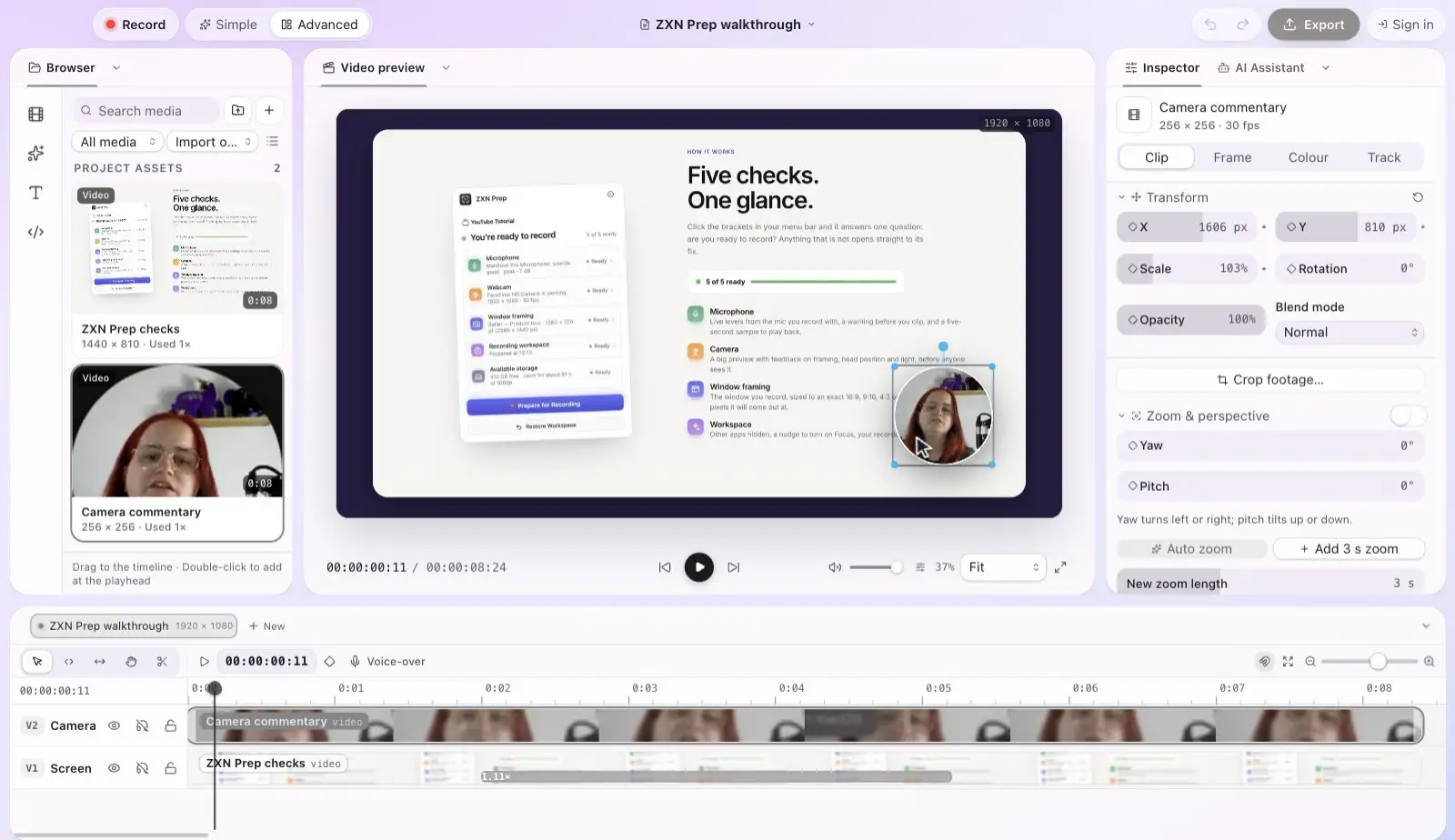
Record a product demo, a lesson or a bug report. When you stop, the screen and camera land on the timeline as two clips that stay in sync.
How recording works
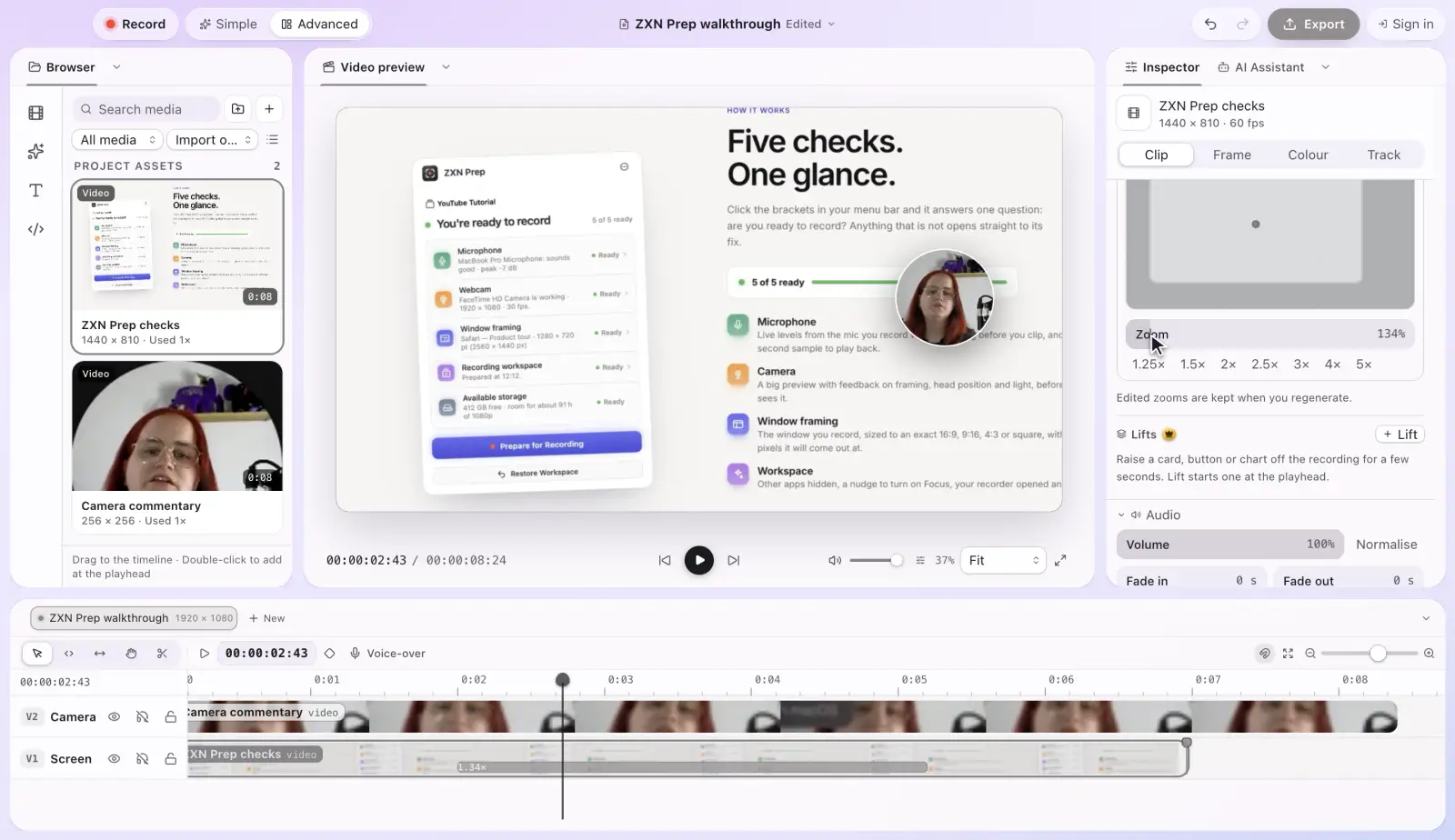
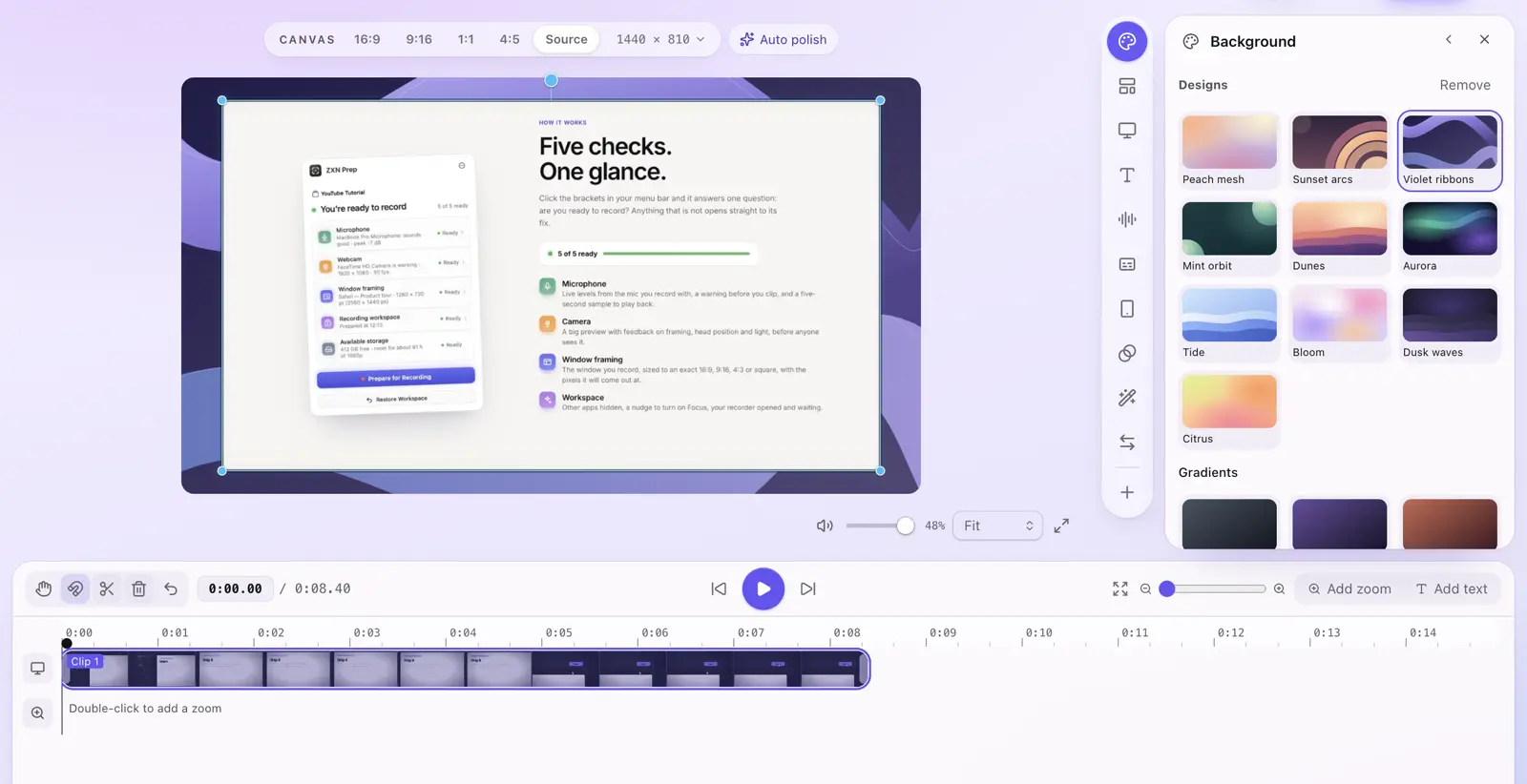
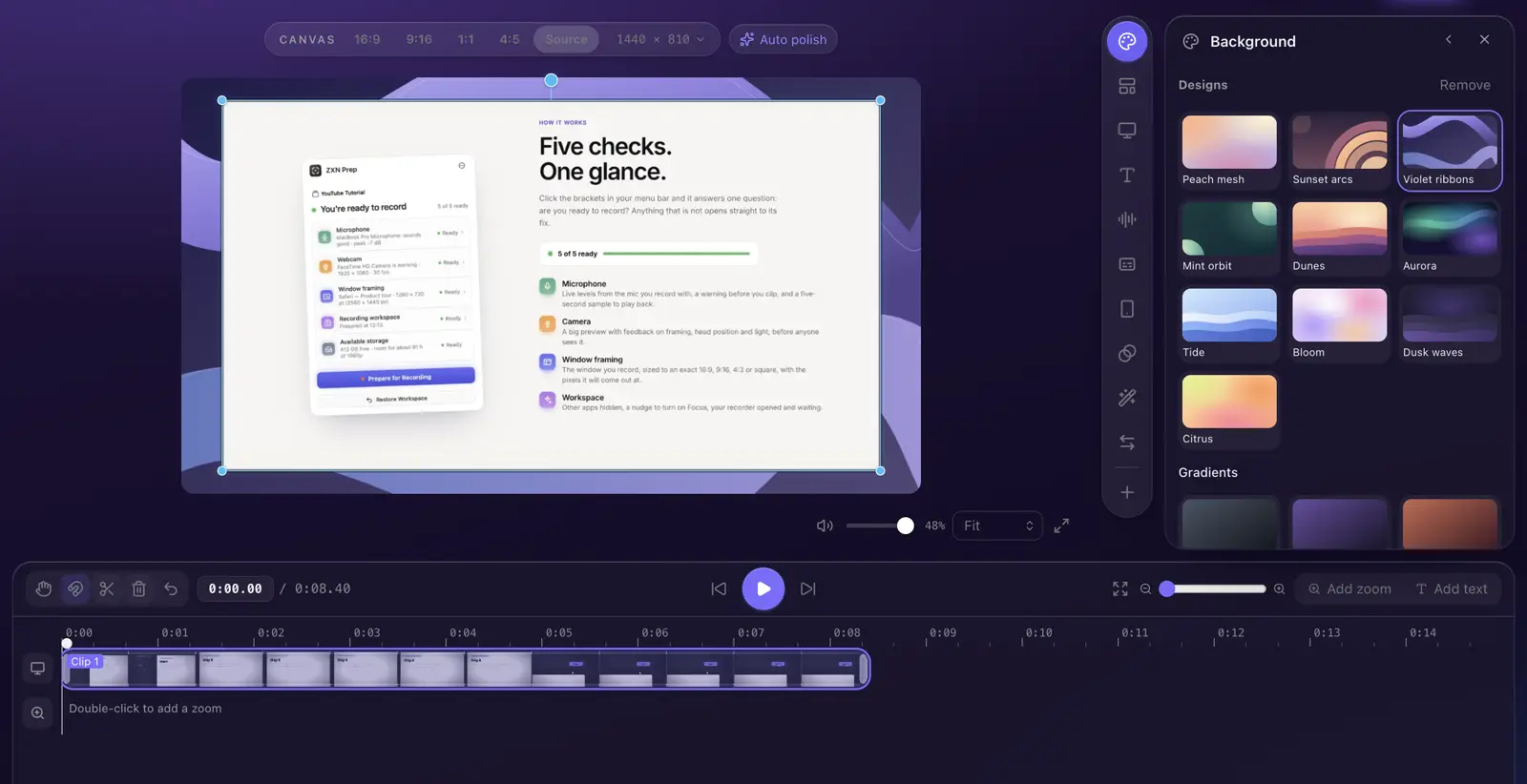
Zoom in where you clicked, set the recording on a backdrop, put your camera where it reads best and cut the dead air. Every change stays editable on the timeline.
How Auto zoom works
Cut out the pauses, stack video, titles and audio on their own tracks, and animate anything with keyframes. Transitions and effects drop straight onto clips.
Editing basics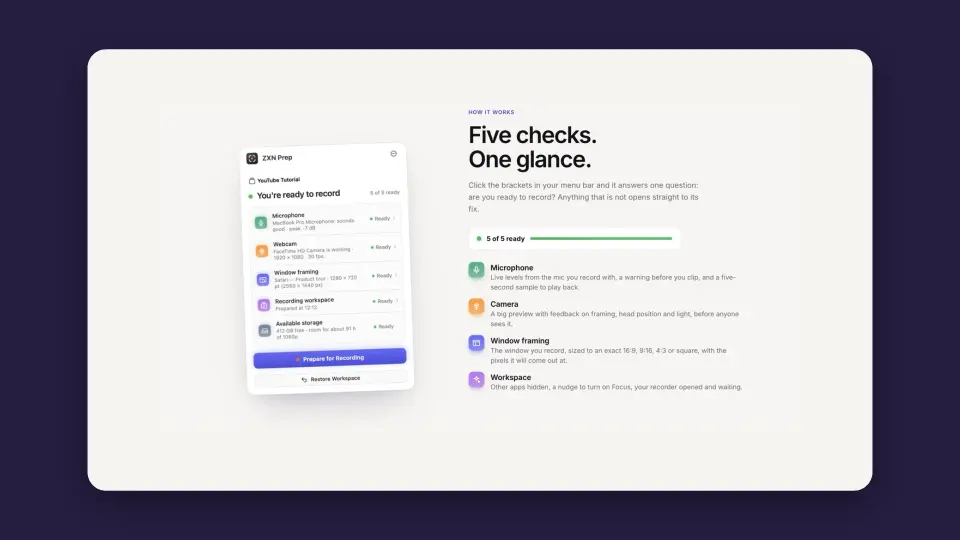
Studio
Save a recording or an export to your library and share it as a link. People watch in the browser, and comments keep the feedback next to the video.
How link sharing works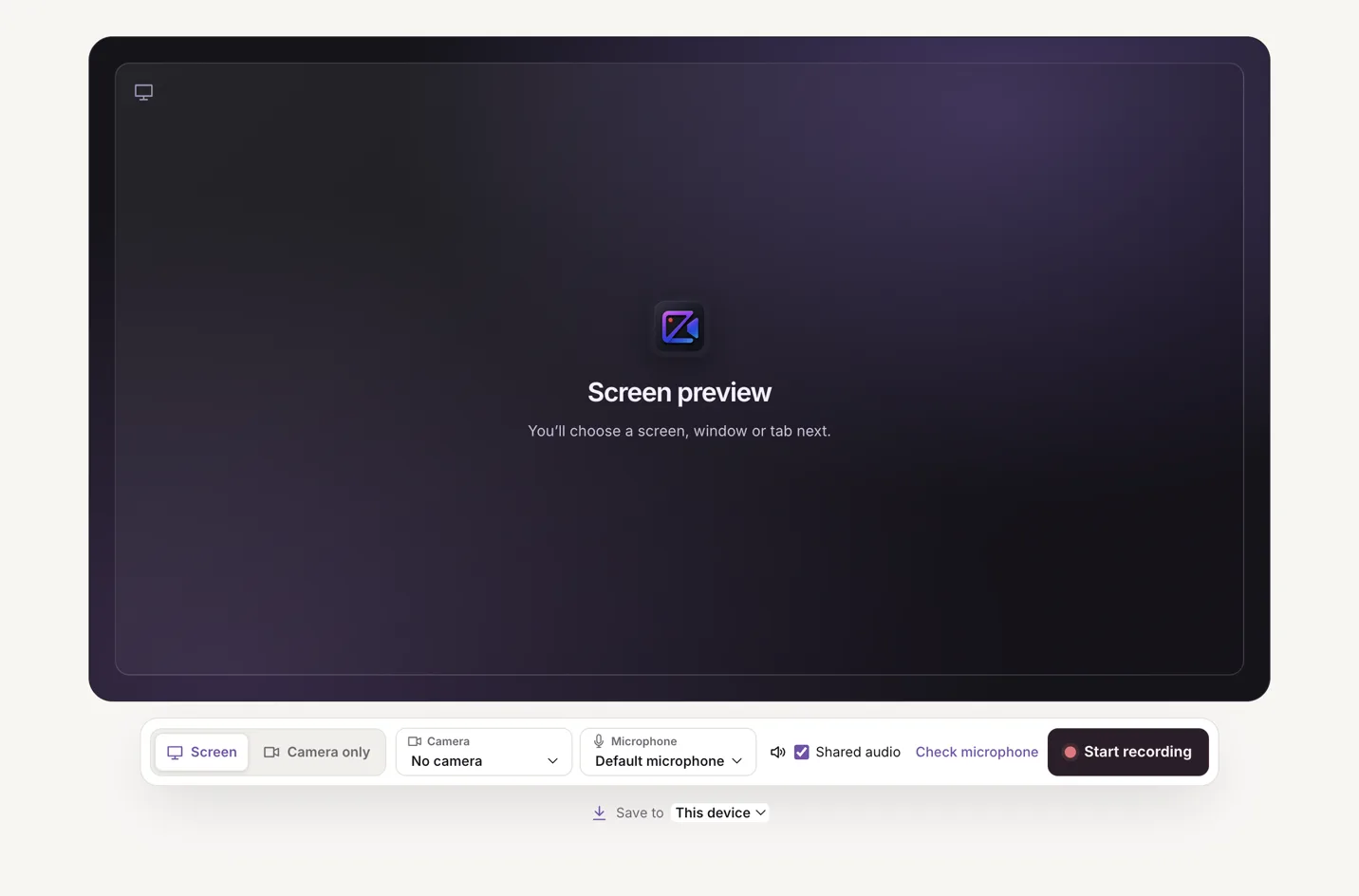
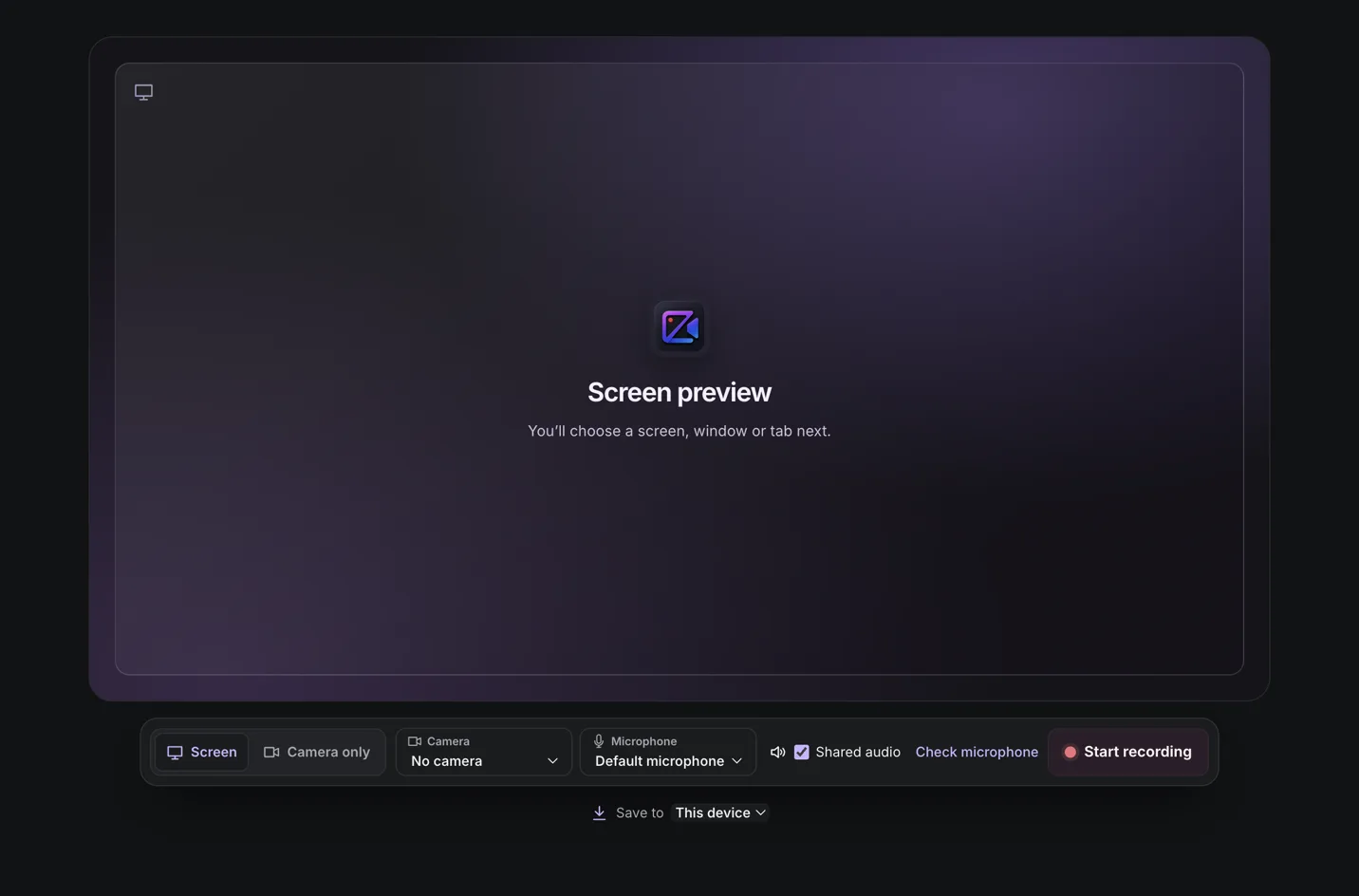
Free preview
Open the recorder on any computer, capture your screen and camera, transcribe and edit in the cloud with 3 GB free (preview recordings stay for 30 days unless you upgrade). Export and AI editing unlock with Pro or Max — and paid videos stay forever, even if you unsubscribe.
A recorder, an editor and something to cut out the background. Every hand-off means another export, another import and another chance to lose sync. ZXN Studio records, edits and removes the background in one project, so there is nothing to hand off.
Coming from another tool? vs Screen Studio vs Loom vs CapCut vs DaVinci Resolve vs Recut
Made something with ZXN Studio? Share your story and link your site or profile.
ZXN Studio is a joy to use. It's smooth, simple and feels like a proper native Mac app. Whether you're making quick clips for social media, tutorials, or any video you want to look good, it just works. The graphics and effects look great, and the AI assistant is a standout: tell it what you want from the cut and it gets you there.
Martin
Founder
voxtale.so
ZXN Studio is the real deal. I’ve cycled through too many screen recorders that hand you a trimmed bar of footage and call it editing.
 Terry Carson
Developer
@mrterrycarson on X
Writing motion graphics in code and layering them straight into my footage is a joy. I also like that I get to choose which local AI models get downloaded to my machine, for things like transcription, depth estimation and background removal. Only installing what I actually need for a project is really nice.
 Willem Leuverink
Independent Software Engineer
trailheadlabs.co
Free records and edits at 1080p and never expires. Every Studio look works in the free editor too, so try them on your own project. You only need Studio to export them, along with 4K and 60 fps, ProRes and link sharing.
Recordings made in your browser with screen and camera take about 6.5 GB an hour: Pro's 300 GB holds about 45 hours and Max's 500 GB about 75. A cloud export costs 5 cloud credits for an hour of video at 1080p, 12 at 4K 30 fps and 20 at 4K 60 fps (Max only). Monthly includes 500 credits a month and Max 1,200. Exporting on your own Mac is free (1080p); browser export requires Pro or Max.
Record and edit free on Mac (1080p export forever), or try the cloud editor in your browser with 3 GB storage and transcription (upgrade to export).
Every Studio feature, link sharing, 300 GB of storage and 500 cloud credits a month.
For your first 3 months, then $15.99 USD/month.
Everything in Pro, with 500 GB of storage, 1,200 cloud credits a month and 60 fps cloud export.
For your first 3 months, then $39.99 USD/month.
Pay once and keep the whole Mac editor (4K 60 export), 3 GB of managed cloud storage kept forever, and your own Cloudflare R2 bucket.
| What you get | Free | Pro | Max | Lifetime |
|---|---|---|---|---|
| Recording | 1080p · 30 fps | 4K · 30 fps | 4K · 60 fps | 4K · 60 fps |
| Export | 1080p · 30 fps · MP4, MOV, WebM | 4K · 30 fps · plus ProRes | 4K · 60 fps · plus ProRes | 4K · 60 fps · plus ProRes |
| Titles | Plain styles | Every style, plates, seasonal & motion | Every style, plates, seasonal & motion | Every style, plates, seasonal & motion |
| Filters & camera frames | 6 filters · 3 frames | All filters · all frames | All filters · all frames | All filters · all frames |
| Effects | 6 starter effects | Every effect, simulations, shaders & film looks | Every effect, simulations, shaders & film looks | Every effect, simulations, shaders & film looks |
| Background removal | For people | Every model, live in the inspector | Every model, live in the inspector | Every model, live in the inspector |
| Depth & tracking | Try it in the editor | Export depth occlusion, surfaces & motion tracking | Export depth occlusion, surfaces & motion tracking | Export depth occlusion, surfaces & motion tracking |
| Browser recorder & editor | Free preview · 3 GB (upgrade to export) | Included | Included | Preview · 3 GB (Mac app exports) |
| Cloud export | — | Included · up to 30 fps | Included · up to 60 fps | — |
| Cloud credits | — | 500 a month | 1,200 a month | — |
| Link sharing | Included · 3 GB (30-day preview) | Included · private, unlisted or public | Included · private, unlisted or public | Included · 3 GB or your own R2 |
| Cloud storage | 3 GB (30-day preview) | 300 GB included | 500 GB included | 3 GB included forever, or your own R2 |
| ZXN Prep | $9.99 once, on its own | Included | Included | Included |
Payments processed by Stripe. Applicable tax is shown at checkout. Cancel monthly any time from your account; see the refund policy for charges you want back. Studio features can be added to any project on the free plan; exporting them needs Studio. Optional AI services may require a separate account and fees. Check system requirements →
Cloud credits pay for cloud export: 5 for an hour of video at 1080p or smaller, 12 at 4K 30 fps and 20 at 4K 60 fps, in proportion to the length and at least 1 per export. They renew every billing month, do not roll over, and come back if an export fails or is cancelled. Paid subscribers and Lifetime owners keep their stored videos forever, even if they unsubscribe. Free preview recordings are deleted after 30 days unless you upgrade.
Beyond screen recordings
The free plan is a real editor, not a trial. Studio looks work in it too. Export them with Studio when the video matters.
Pick a clip and remove the background. Free includes the people model. Studio adds every cut-out model, live removal in the inspector and depth occlusion, so titles can sit behind the person.
Getting a clean cut-outFive short clips from footage I shot myself. Each one says exactly how it was made.
Three editable title tracks with presenter occlusion: a local foreground matte keeps the presenter in front of the words as they slide in from either side. No green screen, no roto.
Four clips on one track, joined with three of the built-in transitions.
The Kinetic Type composition, rendered frame-exact from its editable TSX source by ZXN Studio.
Source clip stabilised, then cut out with Automatic model selection and placed on plain white. Edges are straight from the cutout, untouched.
Sunset, Neon and Sticker presets with pop, typewriter and rise animations. Light Leak effect on the footage.
Not here? Read the documentation or contact support.
Yes. On the free plan every Studio feature can be added to a project and previewed in the editor. Only exporting a project that uses them needs Studio, and the export sheet lists exactly which clips do.
Yes. The free plan records your screen and camera, edits on a multi-track timeline, removes backgrounds from people, adds titles and effects, and exports up to 1080p at 30 fps. It does not expire and you do not need an account to edit.
Every title style, filter and camera frame, all cut-out models with live background removal, depth occlusion, 3D surfaces and motion tracking, and exports at 4K, 60 fps and ProRes. Studio is $15.99 USD a month (Monthly) or $39.99 USD a month (Max), renewing until cancelled, or a single $159 USD payment for lifetime access. Monthly also includes link sharing, 300 GB of cloud storage and 500 cloud credits a month for cloud export. Max has 500 GB, 1,200 cloud credits a month and cloud export at 60 fps. Lifetime is the whole editor with export on your own device, and sharing through your own private R2 bucket; it has no cloud credits and no cloud export. When an offer is running, the discounted price is shown on the plans and applied automatically at checkout.
Yes. Select a clip and turn on background removal. The free plan includes a model for people; Studio adds the other cut-out models. Results depend on the footage, so check the cut-out through the whole clip and refine the edges where needed. The original clip is always kept.
Recording, editing and background removal run on your Mac. Nothing is uploaded until you choose to share or back up a project. Monthly includes link sharing and 300 GB of cloud storage, and Max 500 GB; lifetime sharing uses your own private R2 bucket. Optional AI assistance uses your own account.
Yes. In the current native Mac recorder, open the recording options and enable System audio to capture sound from other apps. Choose a microphone separately if you also want narration, and check a short take before recording.
Yes. Screen and camera land on the timeline as separate clips, so you can trim the edit and change the camera frame, size and position after recording.
ZXN Studio records like a screen recorder and edits like a timeline editor, with background removal, titles, colour and 4K export in the same app. For a side-by-side look, see the comparison pages for Screen Studio, Loom, CapCut, DaVinci Resolve and Recut.
Yes. Sign in with a free account to try the browser recorder, cloud editor and transcription with 3 GB of cloud storage (preview recordings stay for 30 days unless you upgrade). Pro and Max unlock browser export, cloud GPU export, AI editing and 300–500 GB of storage, and paid videos stay forever even if you unsubscribe. Lifetime includes 3 GB of managed storage kept forever plus your own R2 bucket, with full 4K 60 export in the Mac app.
Yes, any time from Account & billing. Studio stays active until the end of the period you paid for. Lifetime is a single payment with nothing to cancel.
The current screen recorder needs macOS 26 or later. Check the system requirements in the documentation before buying. Windows and Linux versions are planned.
Black Friday Lifetime for $99.99, was $159
Free to record and edit, with no account. Your projects stay on your Mac unless you choose to share them.
Offer ends 1 December 2026, 08:00 (UK time).